

Prompt Library
365 original prompts on 21 shelves.
Every prompt has the same eight slots, at most five blanks to fill, and a “Done means” line so you know when it has worked.
Open the prompt library →The AI University · new AI builds every week
We build working AI apps live on YouTube, then put them to work for you: ready-made apps in our Digital Store, products that grow your business, a free learning library, custom builds for your team, and plain-English AI insights.
01 — Pick your path
Scroll on and we'll walk you through each one, in this order.
Measured, checked
02 — Digital Store · Path 1 of 5
Everything in the store is a ready-made spreadsheet template, sold as a download you keep. Open it in Excel or Google Sheets, fill in your own numbers, and make it your own.
What you get
Who it's for
How buying works
Templates · 7
Ready-to-use templates for reviewing trades, tracking dividends, net worth and more.
$11 eachEvery template is a spreadsheet you run in your own Excel or Google Sheets, on numbers you enter yourself. It is not advisory software: nothing recommends a security, nothing tells you what to buy or sell, and no claim is made about outcomes.
02 — Digital Store
02 — Digital Store · the full shelf
Every card shows the price, what is inside and a Buy button that opens Gumroad. Use the tabs to switch shelves, or press / to search.
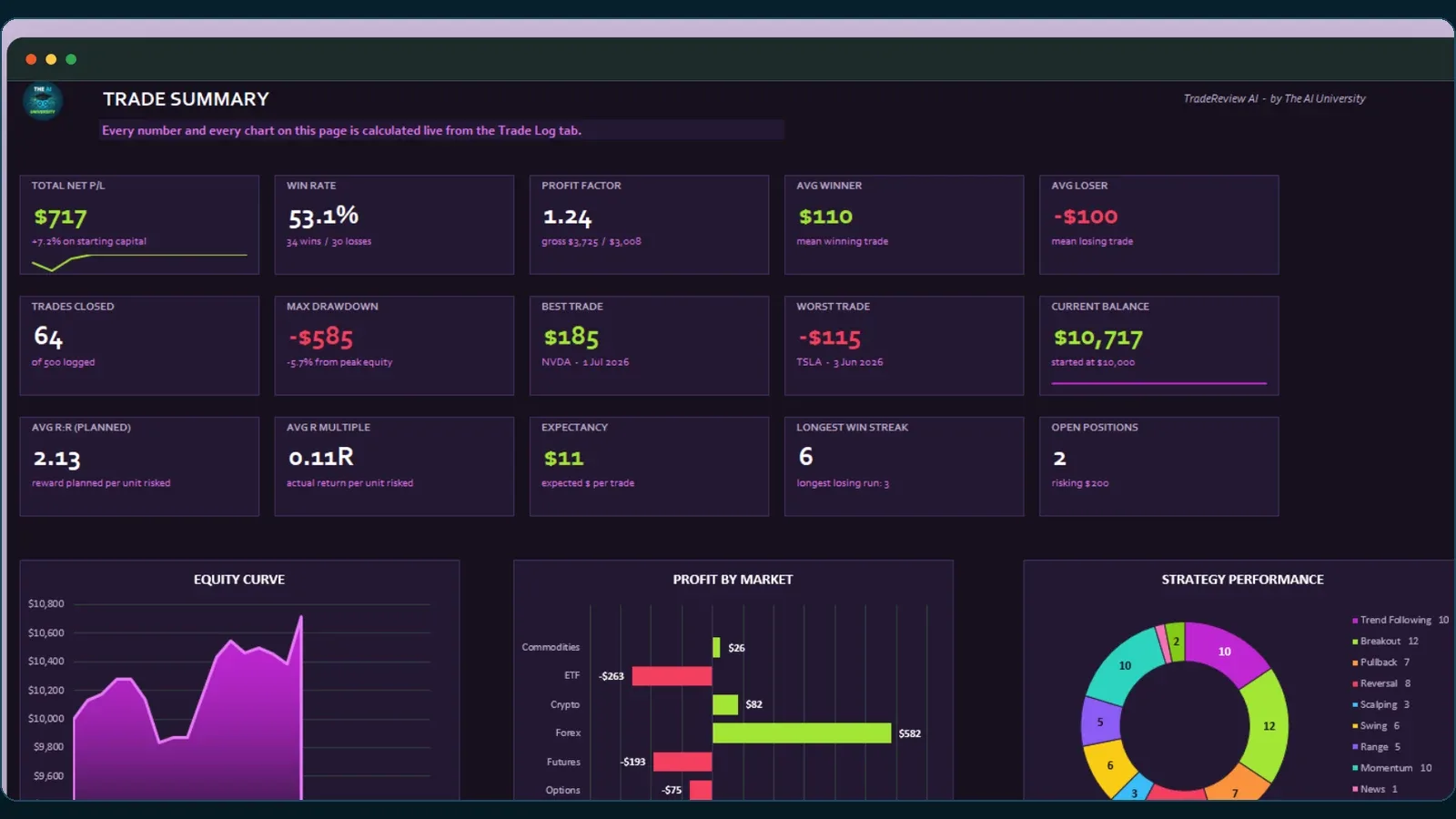
Your journal already knows why you lose; it just cannot tell you. Log trades as normal, open the AI Export tab, select one column and copy — every statistic is already assembled as plain text: win rate by strategy, by setup grade, by session and by recorded state of mind, the running cost of every rule you broke, and your last fifteen trades in full. Paste it into Claude or ChatGPT with one of 24 review prompts. No add-in, no API key, no account and no macro, which also means nothing leaves your computer until you decide it does. Excel and Google Sheets.
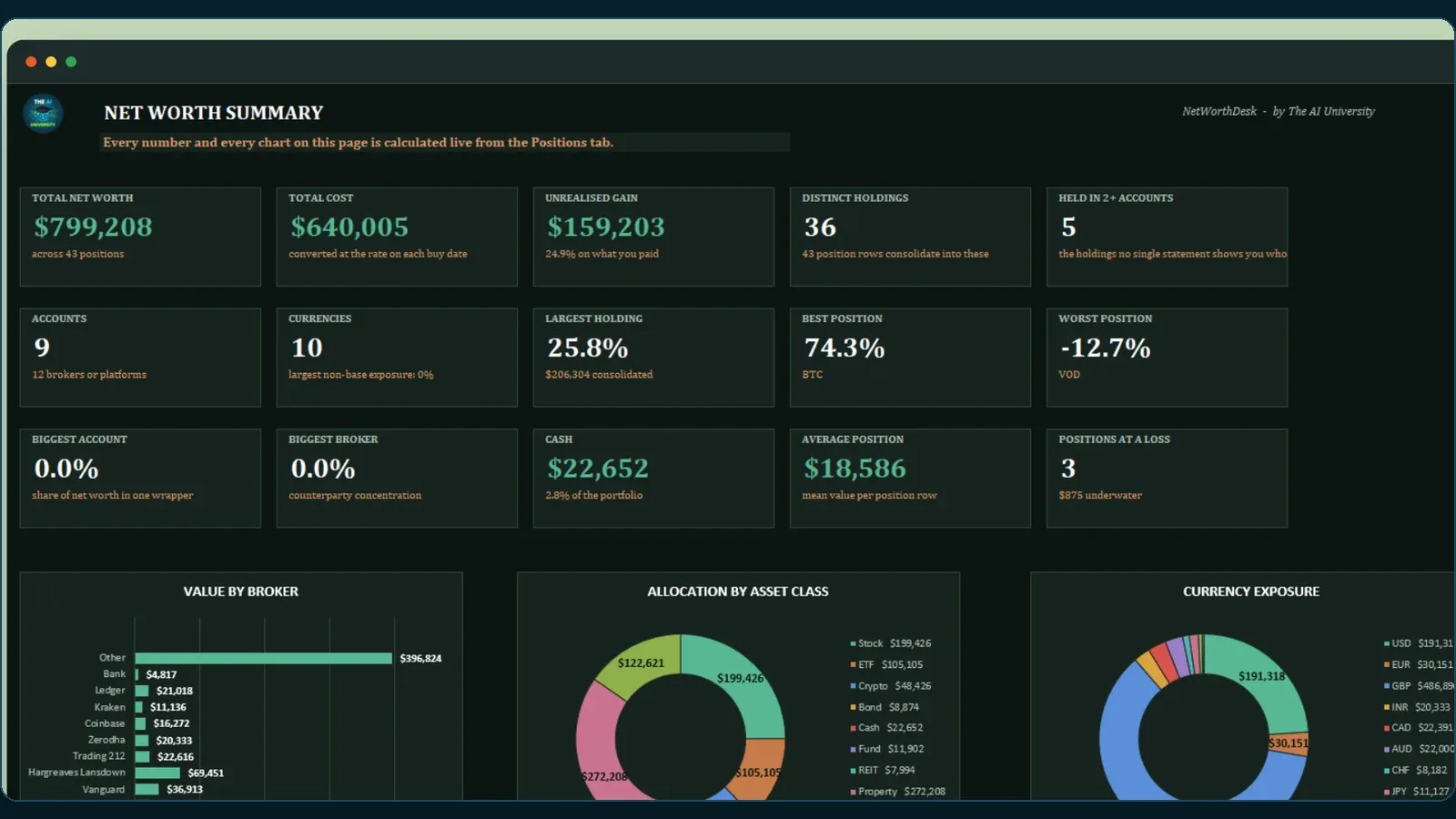
Hold the same stock at two brokers and in a tax-wrapped account, some bought in dollars and some in pounds, and no statement you own tells you your real position. Enter one row per holding per account, in the currency you actually traded in, and this converts everything to your base currency and collapses the duplicates into one line: total quantity across every account, and a blended average cost that accounts for the different prices and currencies you bought at. It also gets the currency right in the way that matters — cost is converted at the rate on the day you bought, not today's. Excel and Google Sheets.
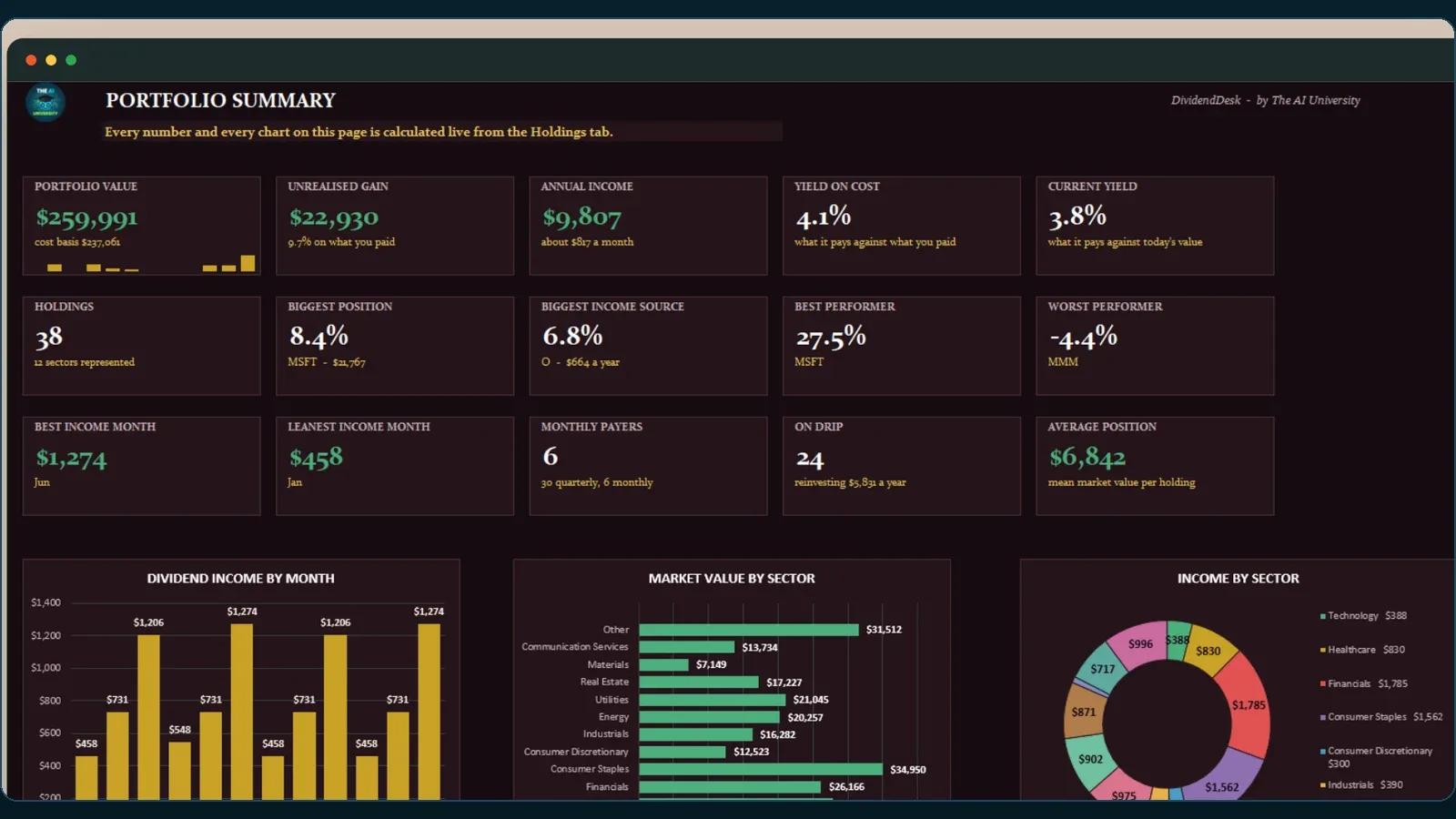
A portfolio tracker built around when the money actually arrives. Enter a holding — ticker, shares, what you paid, what it pays — and the workbook derives cost basis, market value, unrealised gain, portfolio weight, annual income, current yield and yield on cost. Then it builds a twelve-month dividend calendar: tell it a holding pays quarterly starting in March and it fills March, June, September and December on its own. That calendar is the point — it is the view that shows you which months are thin, which is the thing you can act on. Excel and Google Sheets.
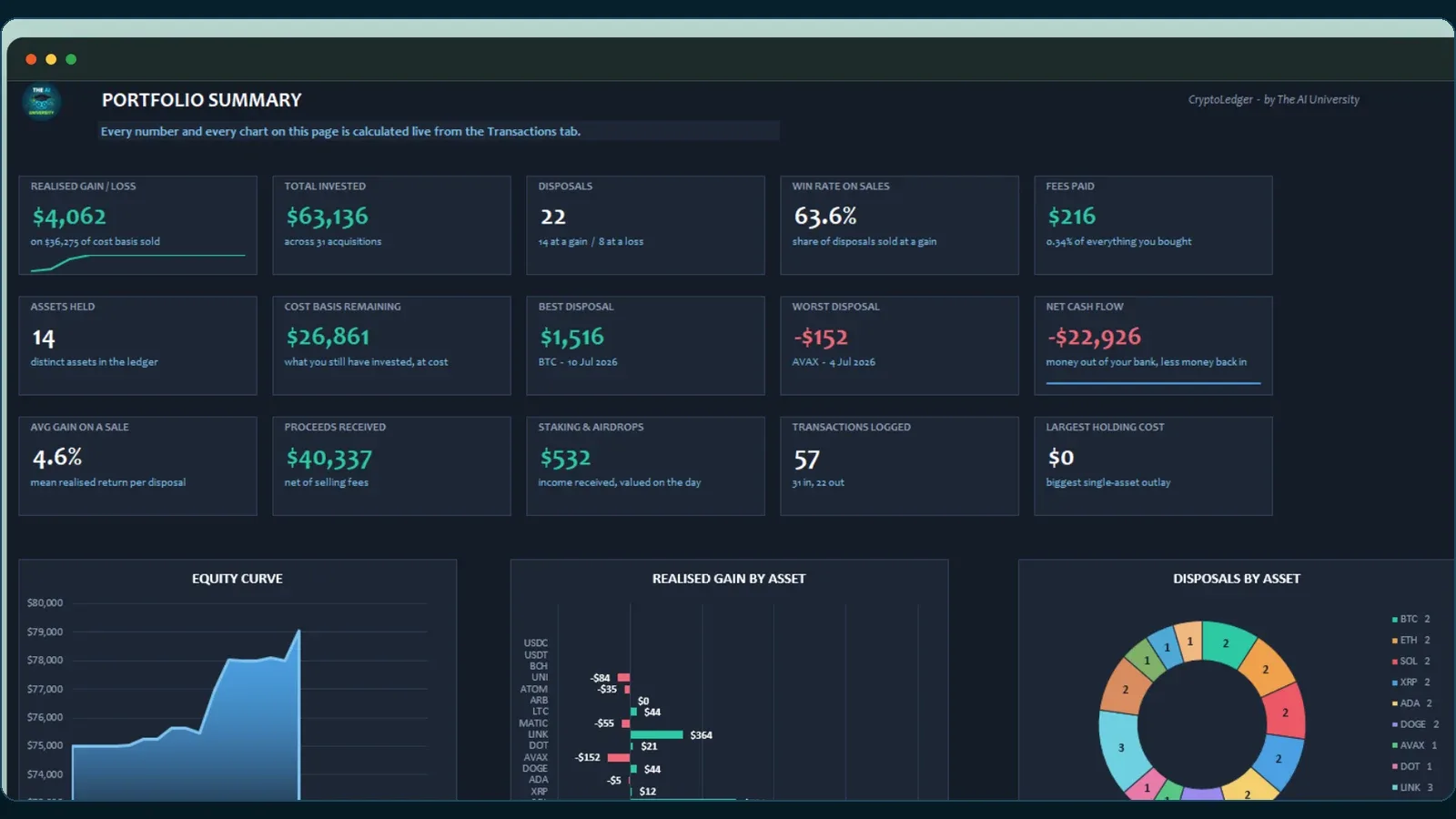
Every crypto tracker adds up what you hold. This one answers the question that costs money at tax time: when you sold, which units did you sell? Record a sale and the workbook finds your oldest unsold lots of that asset, draws from as many separate purchases as the sale needs, and reports cost basis, proceeds net of fees and realised gain. That is FIFO, worked out for you. Fees are handled properly — added to cost on a buy, deducted from proceeds on a sell — and staking rewards and airdrops create a cost lot at the value on the day. Excel and Google Sheets.
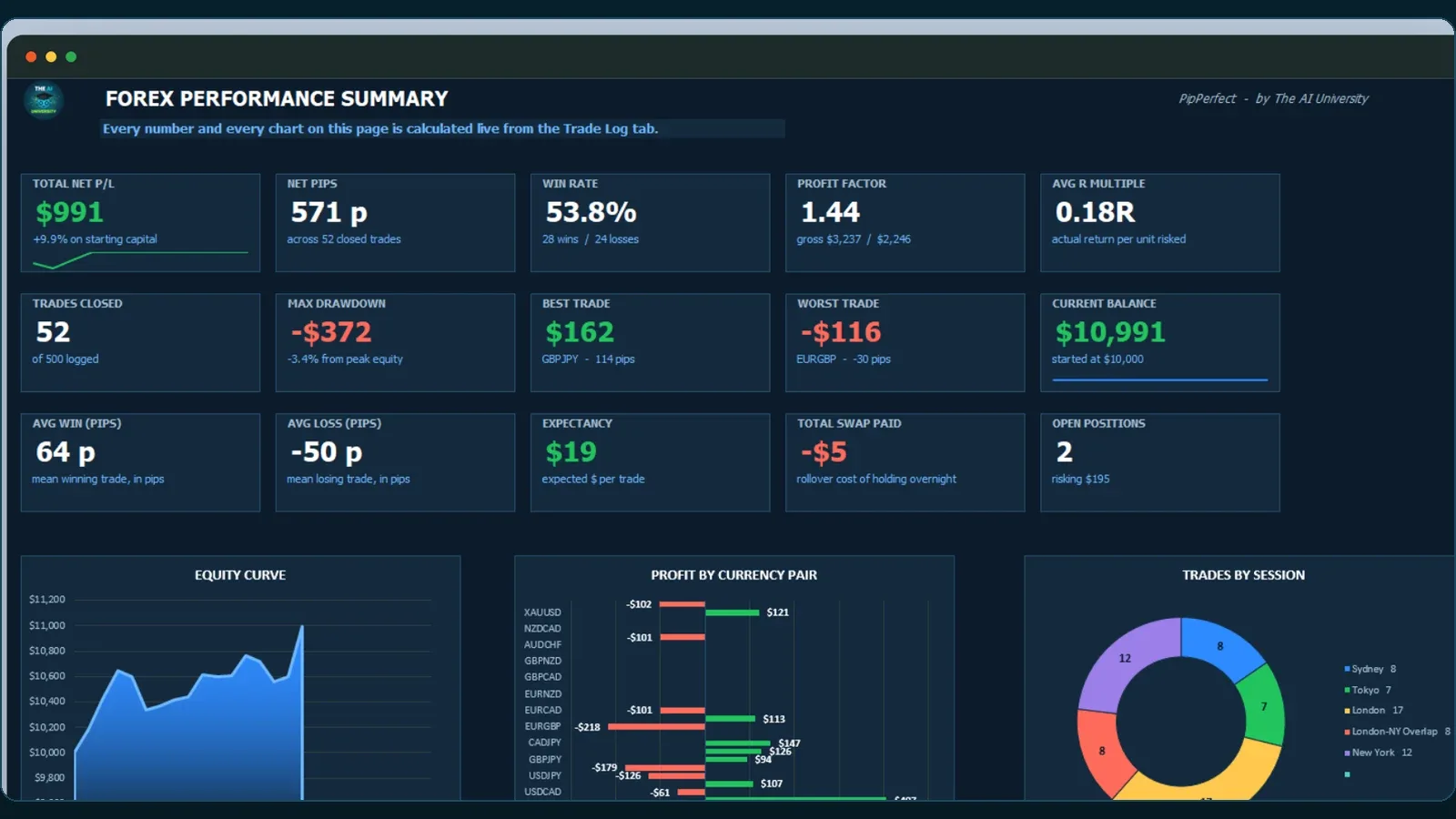
A journal that thinks in pips, lots and sessions rather than a stock journal with forex bolted on. Pick your pair and it already knows the pip size and pip value — you never type either. Enter four prices and a lot size and it derives pips risked, pips gained, money at risk, risk as a percentage of the account, planned reward-to-risk, gross P/L, swap, commission, net P/L and your R multiple. Then it breaks the record down by trading session and by pair, in both dollars and pips. 28 majors, crosses and metals come prefilled and every one is editable to match your broker.
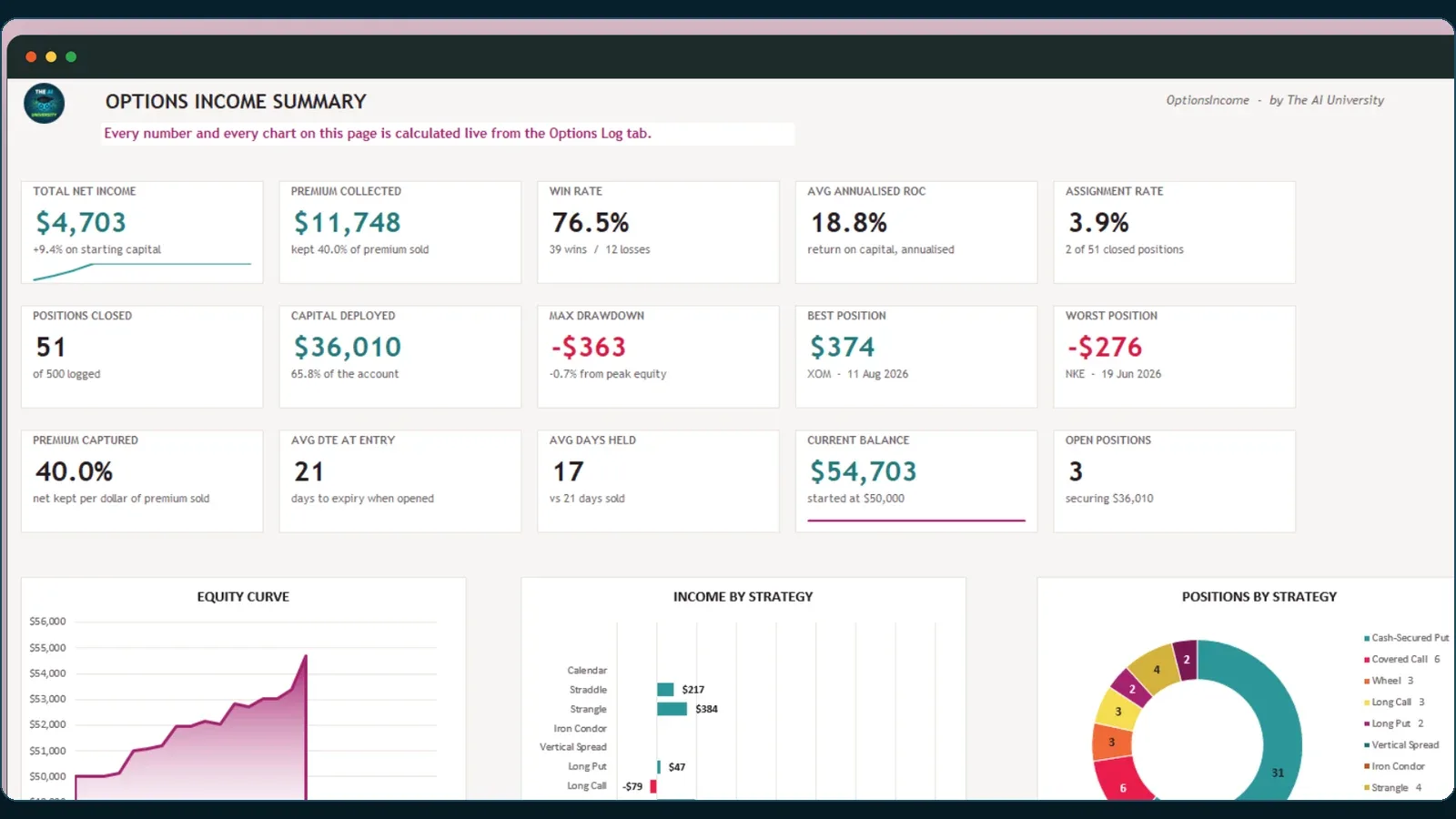
Most options trackers add up premium. This one weighs the premium against the capital it tied up. Log a position and the workbook derives gross premium, capital deployed, net P/L, return on that capital, and the annualised figure that finally makes a 9-day put and a 45-day put comparable. Handles cash-secured puts, covered calls, the wheel, spreads and long options — including the two cases hand-built sheets get wrong: an option expiring worthless keeps the whole credit with the closing premium left blank, and moneyness flips correctly between puts and calls. Excel and Google Sheets.
What you actually get
Every build is a complete, runnable codebase you download and keep — packaged with the exact Claude prompts used to specify, build and refine it. Read them, adapt them, and use the same method on your own ideas. Watch the builds happen first on YouTube, free.
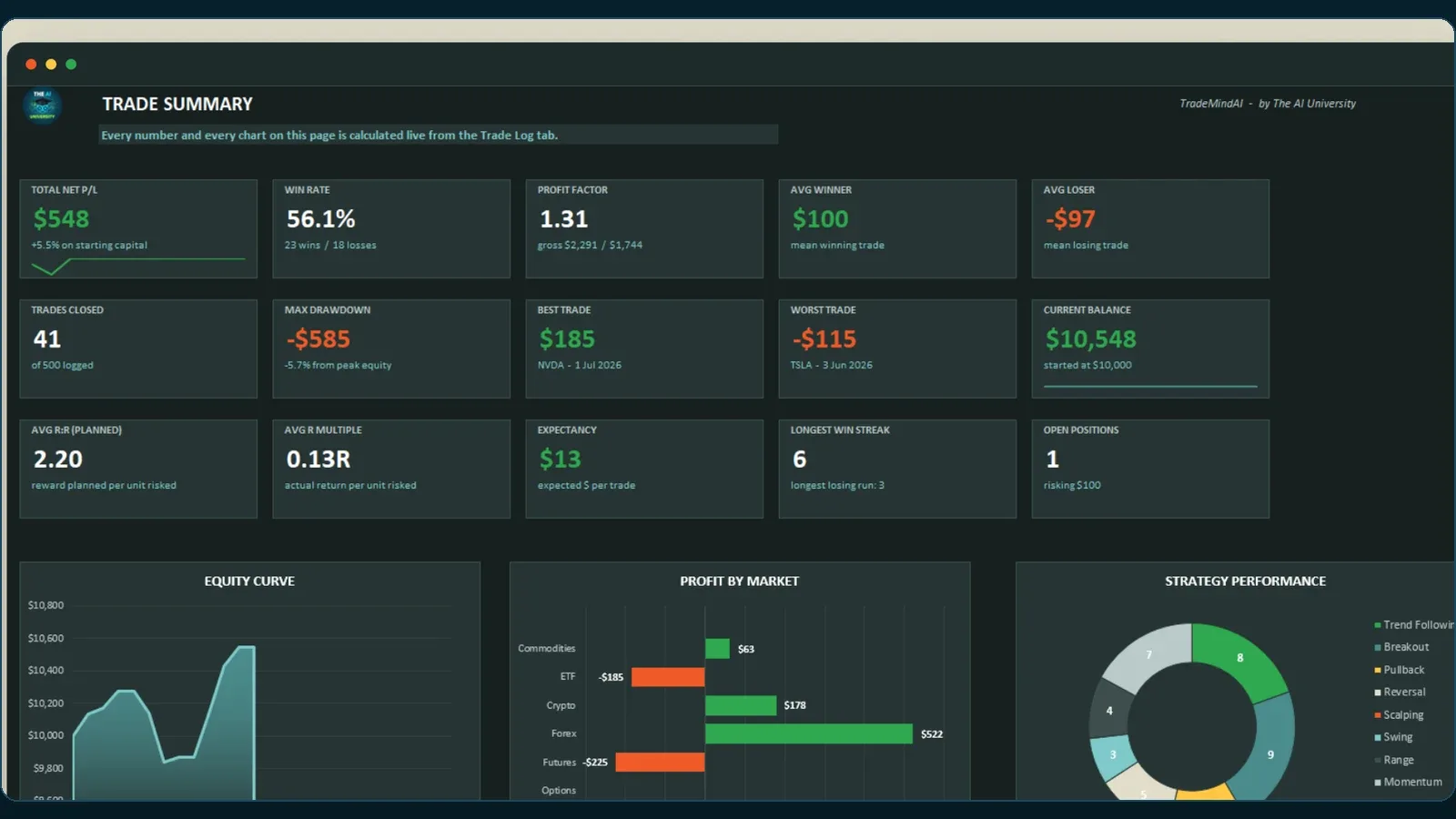
A trading journal that tells you why, not just what. Log a trade in about forty seconds and the workbook derives the rest: position size, risk, planned reward-to-risk, P/L, R-multiple, win rate, profit factor, expectancy, drawdown and your running balance. Then it breaks those down by setup, by session and by the rules you broke. Built for stocks, options, futures, forex, crypto, ETFs and commodities, with short trades calculated correctly — a detail most templates get wrong. Microsoft Excel and Google Sheets, 500 trade rows ready, no add-ons and no subscription.
03 — Products · Path 2 of 5
The store sells apps you run yourself. Products are different: you bring your website or your business, and we run the tool for you and hand back the results.
Product 01 · Available now
People now ask ChatGPT, Perplexity and Google’s AI Overviews instead of scrolling through links. This report checks whether those engines can read, understand and quote your site, and tells you what to fix.
What you get
Who it’s for
How it works
Product 02
New business products are added here as they launch, and they appear under Products in the menu.
03 — Product 01 in action
An example site, scanned. Every finding quotes its evidence.
Complete · 8 of 8
Example report
60/100
Not checked: brand authority. It is left out of the score rather than counted as zero.
04 — Free Resources · Path 3 of 5
The apps in the store and the products above were built with the same prompts, guides and tools we give away here. One free account unlocks all of it, and no card is needed.
Prompt Library
Every prompt has the same eight slots, at most five blanks to fill, and a “Done means” line so you know when it has worked.
Open the prompt library →Free Digital Resources
Titles and summaries are public. Each one opens in full with a free account.
Browse the free resources →Strategy Guides
Every worked example uses the same placeholder, XYZ at $100, so each structure can be read against the others.
Read the strategy guides →Trading Calculators
Plain arithmetic in your browser, on the numbers you type in. They do not connect to any market feed.
Open the calculators →05 — Consult · Path 4 of 5
Not in the store, and no time to build it yourself? The apps you watch us build on the channel get built for your company instead: on a written scope, a fixed price and a delivery date, under an NDA where the work calls for one.
What you get
Who it's for
How it works

The repetitive desk work, handled — for dental practices, law firms and small businesses whose staff spend the day on the phone instead of with clients.

Scripted, generated, edited and captioned creative pipelines using Veo, Nano Banana and Claude, end to end — brief in, finished cuts out.

Empty folder to deployed product — schema, auth, payments, RAG, monitoring: the parts most tutorials cut and most projects stall on.
Tool Build
$1,500 one-off
One focused application, shipped in two weeks.
What is included →Automation Build
$3,500 one-off
A multi-step workflow with a real interface behind it.
What is included →Embedded
$7,500 per month
Ongoing build capacity, for teams shipping continuously.
What is included →Custom work is scoped and invoiced directly — it is not sold through this site's checkout, so there is no plan to pick and nothing to subscribe to. Tell us what you need to exist, which systems it has to talk to and who inside the business will use it, and you will get a written scope, a price and a date back. Engagements run from a single-application build to an ongoing retainer once it is live.
06 — AI Insights · Path 5 of 5
Whatever path you take, AI keeps moving. Plain-English explainers on agentic systems, AI platforms, new models and the news that matters, so you know what to use and what to ignore.
What you get
Who it's for
Pick the path that fits you today. You can always come back for the others.
THE COMMUNITY
The AI University on Skool: step-by-step guides from an empty folder to a working application, written for complete beginners, and a community to ask when you get stuck.
The community teaches you to build software with AI, step by step, and helps when your code or setup will not work. It is not a place for trade discussion, stock tips or market opinions, and none are given there.
Opens the community on Skool, with membership details


